
Self Deploy
Prerequisites
Hardware Requirements
- CPU: 2 cores minimum
- RAM: 4GB minimum (8GB recommended)
- Storage: 20GB+ available
Software Requirements
- Docker: Version 24.0+
- Docker Compose: Version 2.20+
Steps
1. Clone the repository
git clone https://github.com/refly-ai/refly.git
cd refly
TIP
You can add --depth 1 to the clone command to save disk space and download time.
2. Prepare the configuration via .env file
cd deploy/docker
cp env.example .env
Edit .env with required settings.
2.1. Add Resend API Key (Optional)
If you need to send emails, please get your own key from https://resend.com/ and fill it in .env:
RESEND_API_KEY=your_resend_api_key2.2. Add Fal API Key (Optional)
If you need to generate image/audio/video, please get your own key from https://fal.ai/ and fill it in .env:
TOOLSET_FAL_API_KEY=your_fal_api_key2.3. Accessing via IP address
If you are deploying on a cloud server and accessing it via an IP address, please refer to the Accessing via IP address for environment variable settings.
3. Start the application via docker compose
docker compose up -dYou can run docker ps to check the status of the containers. The expected status for each container should be Up and healthy. An example output is shown below:
CONTAINER ID   IMAGE                                      COMMAND                  STATUS                 PORTS                          NAMES
71681217973e   reflyai/refly-api:latest                   "docker-entrypoint.s…"   Up 5 hours (healthy)   3000/tcp, 5800-5801/tcp        refly_api
462d7e1181ca   reflyai/qdrant:v1.13.1                     "./entrypoint.sh"        Up 5 hours (healthy)   6333-6334/tcp                  refly_qdrant
fd287fa0a04e   redis/redis-stack:6.2.6-v18                "/entrypoint.sh"         Up 5 hours (healthy)   6379/tcp, 8001/tcp             refly_redis
16321d38fc34   reflyai/refly-web:latest                   "/docker-entrypoint.…"   Up 5 hours             0.0.0.0:5700->80/tcp           refly_web
d3809f344fed   searxng/searxng:latest                     "/usr/local/searxng/…"   Up 5 hours (healthy)   8080/tcp                       refly_searxng
a13f349fe35b   minio/minio:RELEASE.2025-01-20T14-49-07Z   "/usr/bin/docker-ent…"   Up 5 hours (healthy)   9000-9001/tcp                  refly_minio
e7b398dbd02b   postgres:16-alpine                         "docker-entrypoint.s…"   Up 5 hours (healthy)   5432/tcp                       refly_db
You can access the Refly application in http://localhost:5700.
Start Using Refly
To start using the self-deployed version of Refly, first register an account with your email and password.

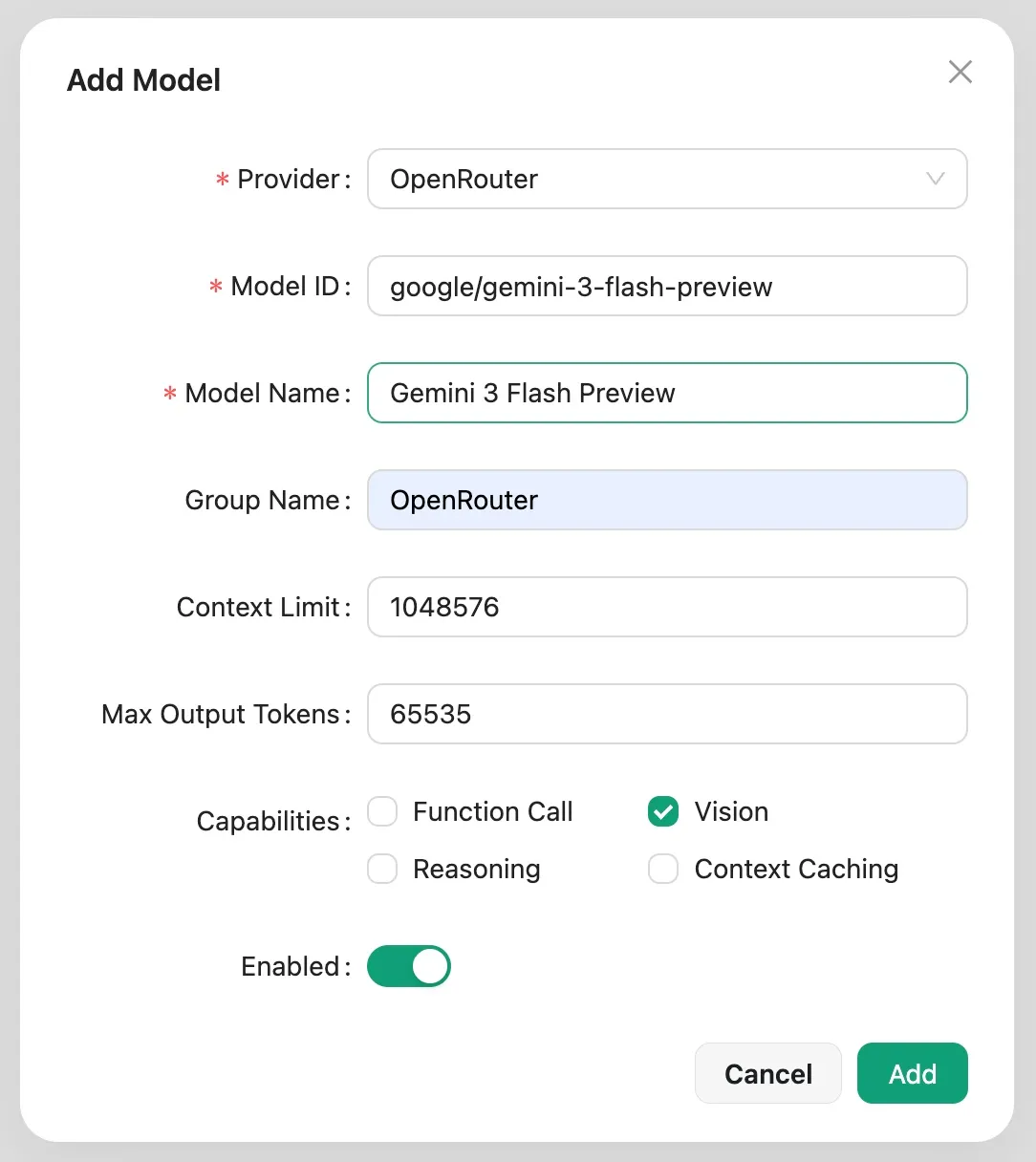
After entrance, you can configure the providers and models you want to use. Click on the account icon in the right top corner and select Settings.
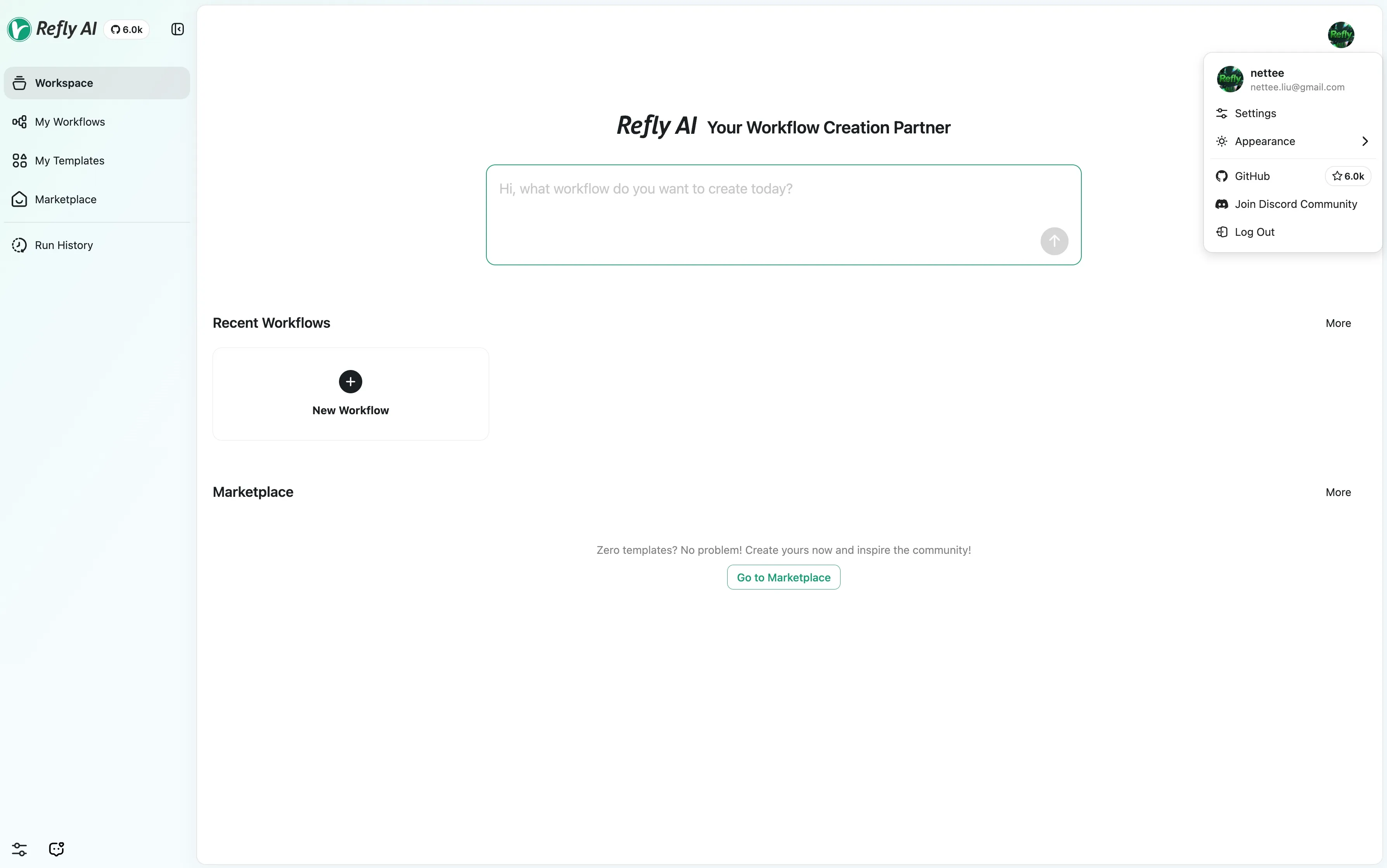
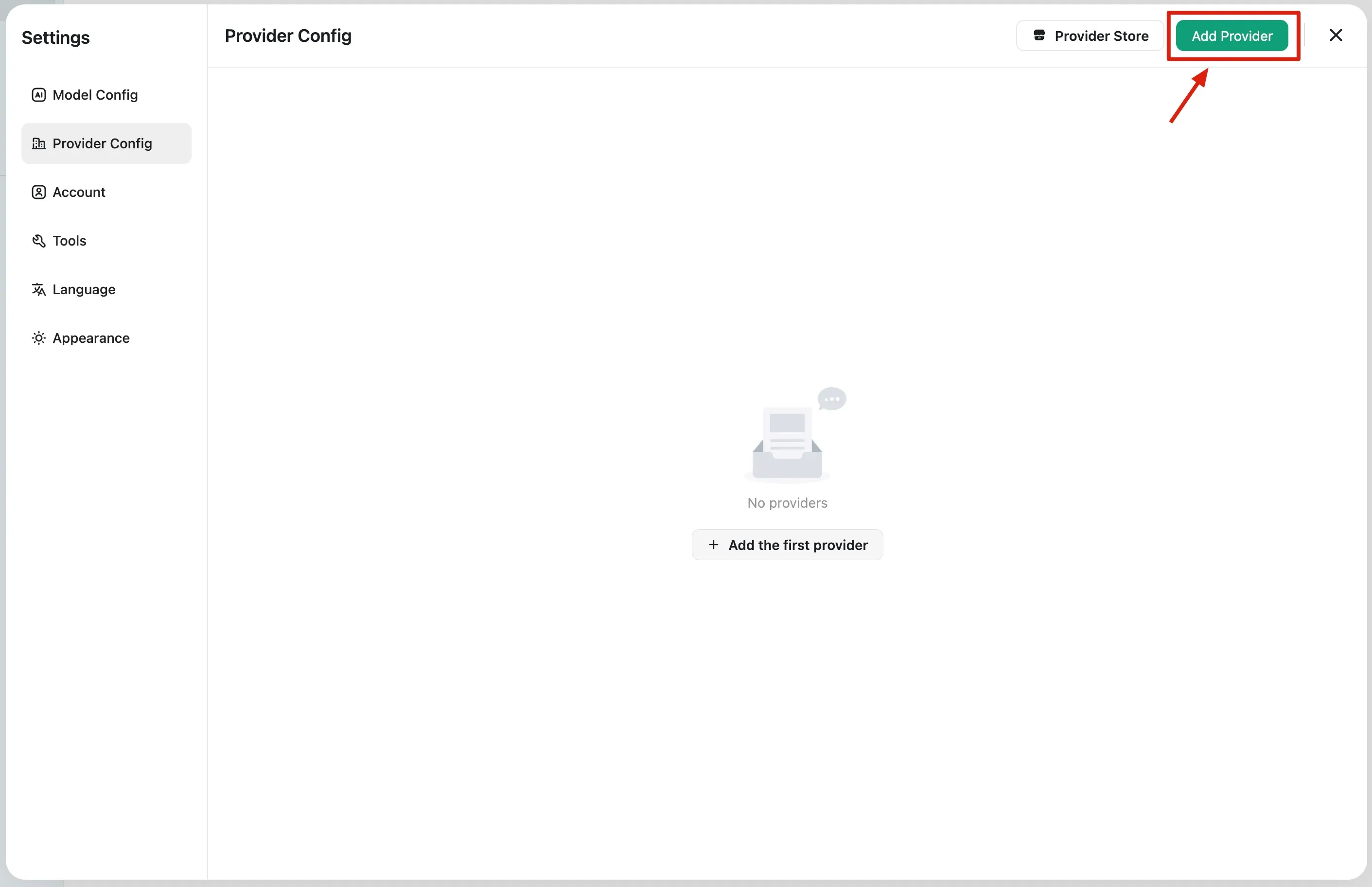
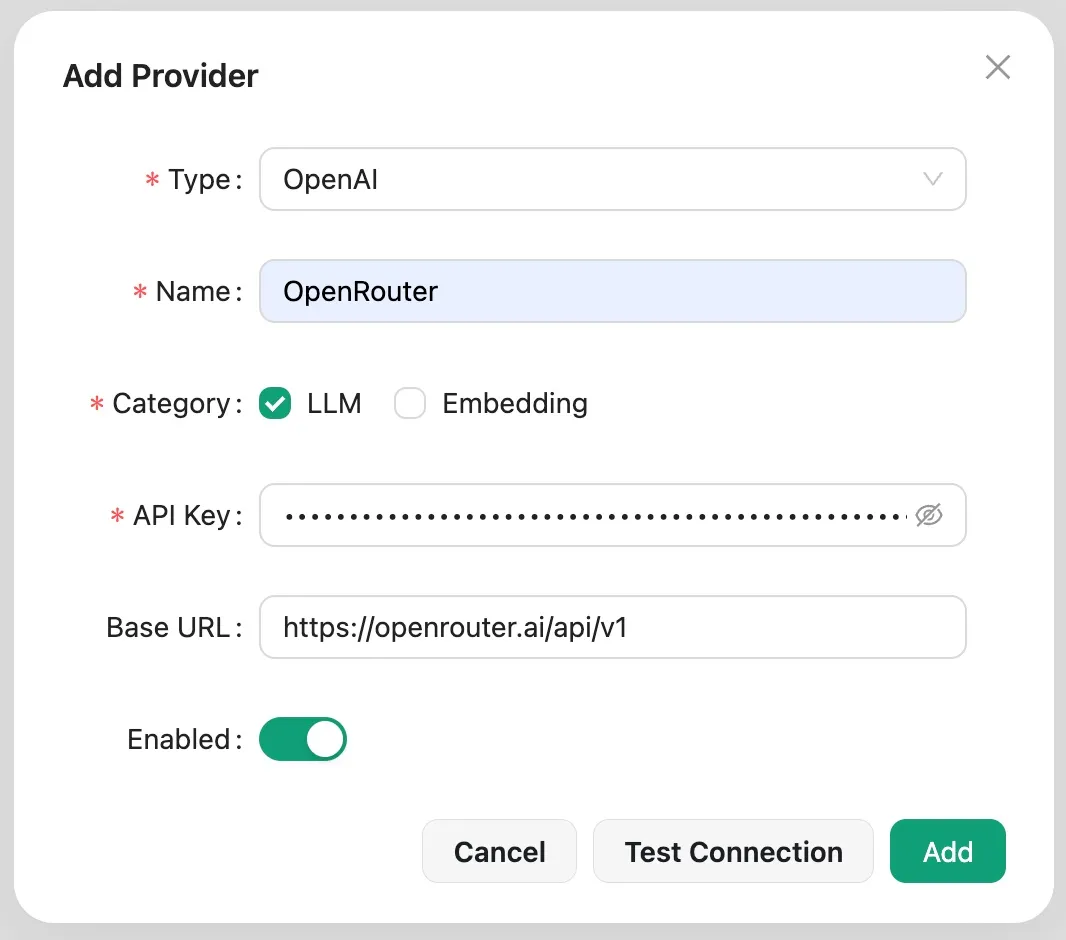
Add your first provider:
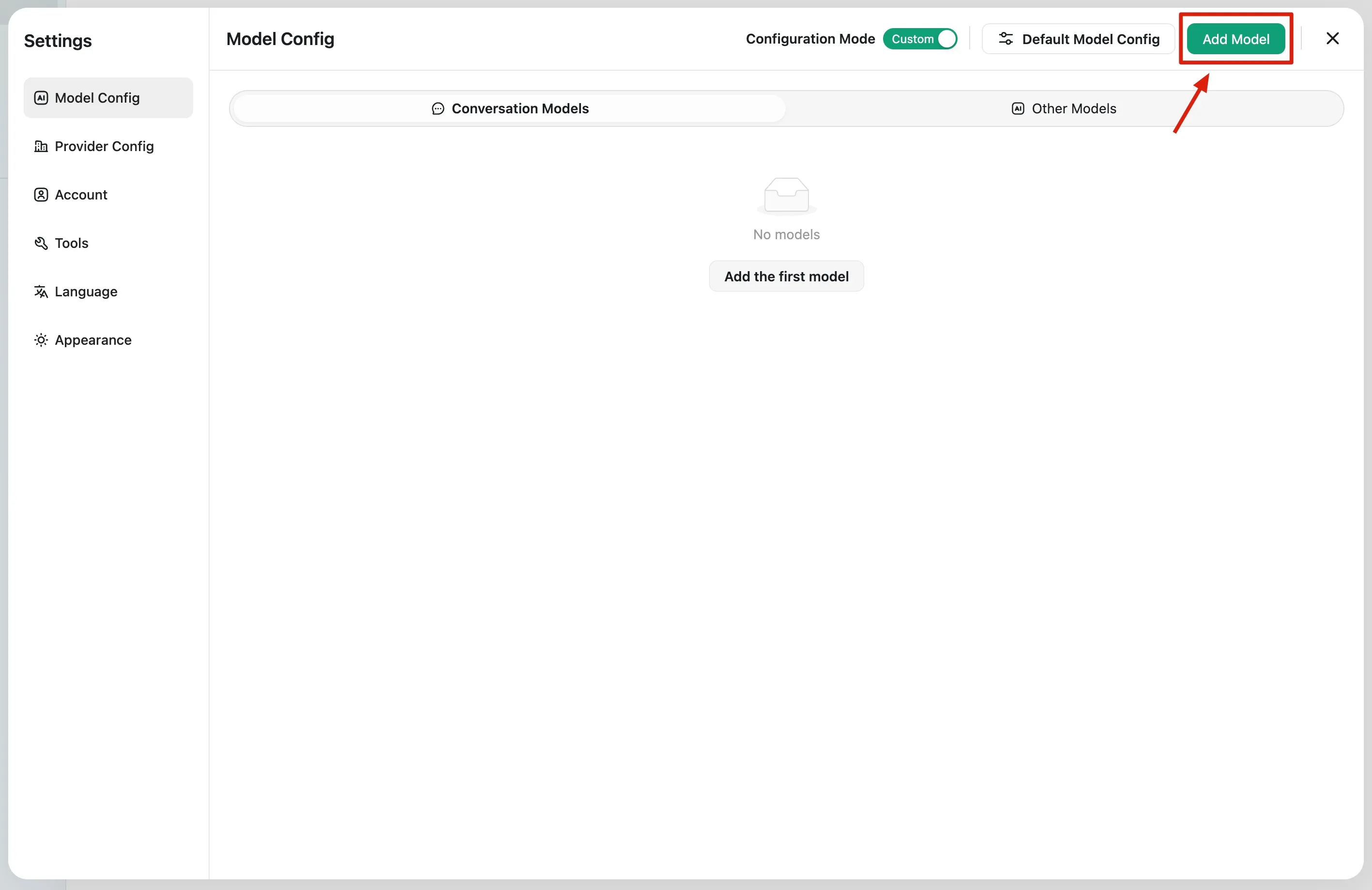
Add your first chat model:
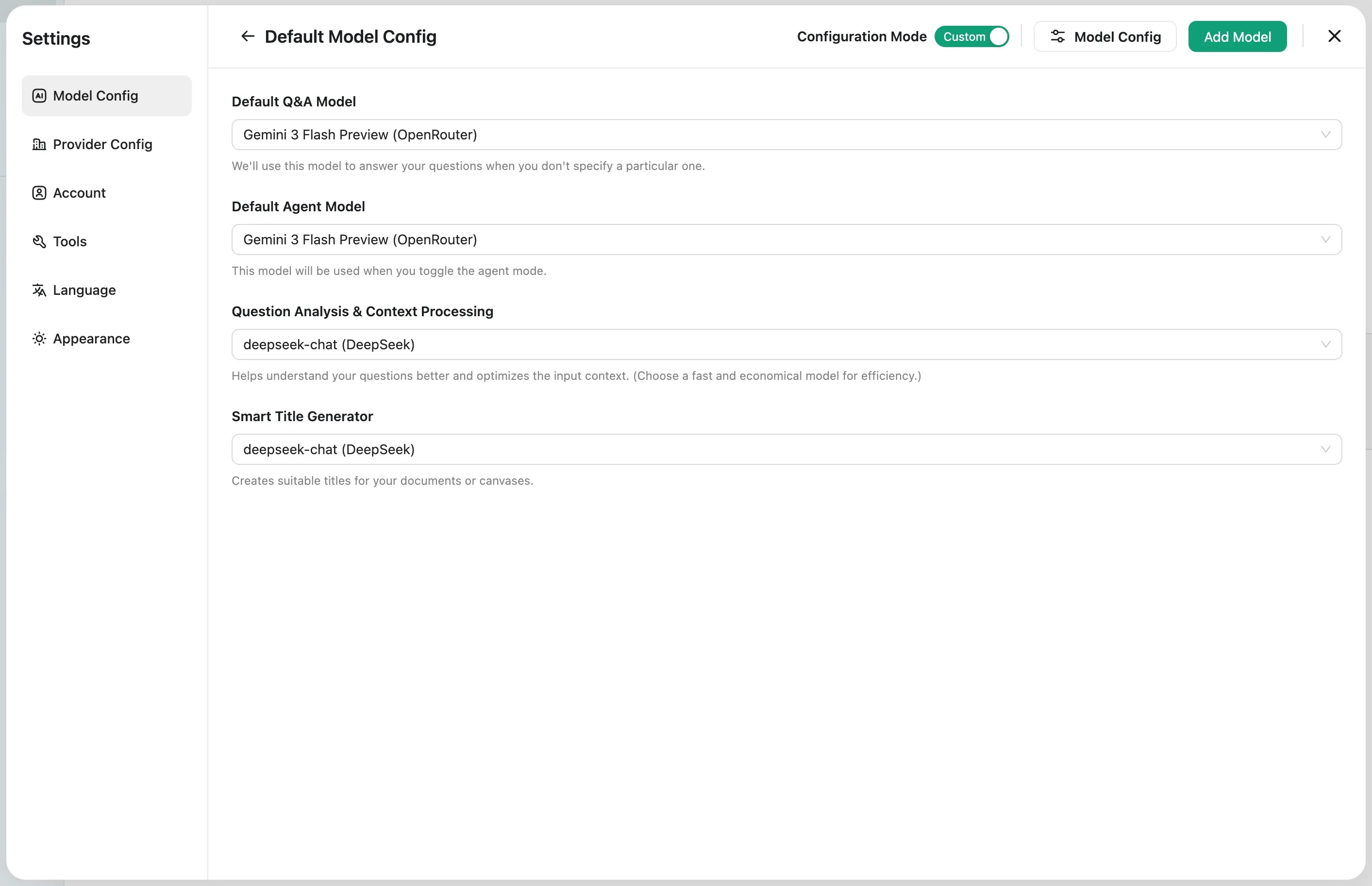
Configure your default model:
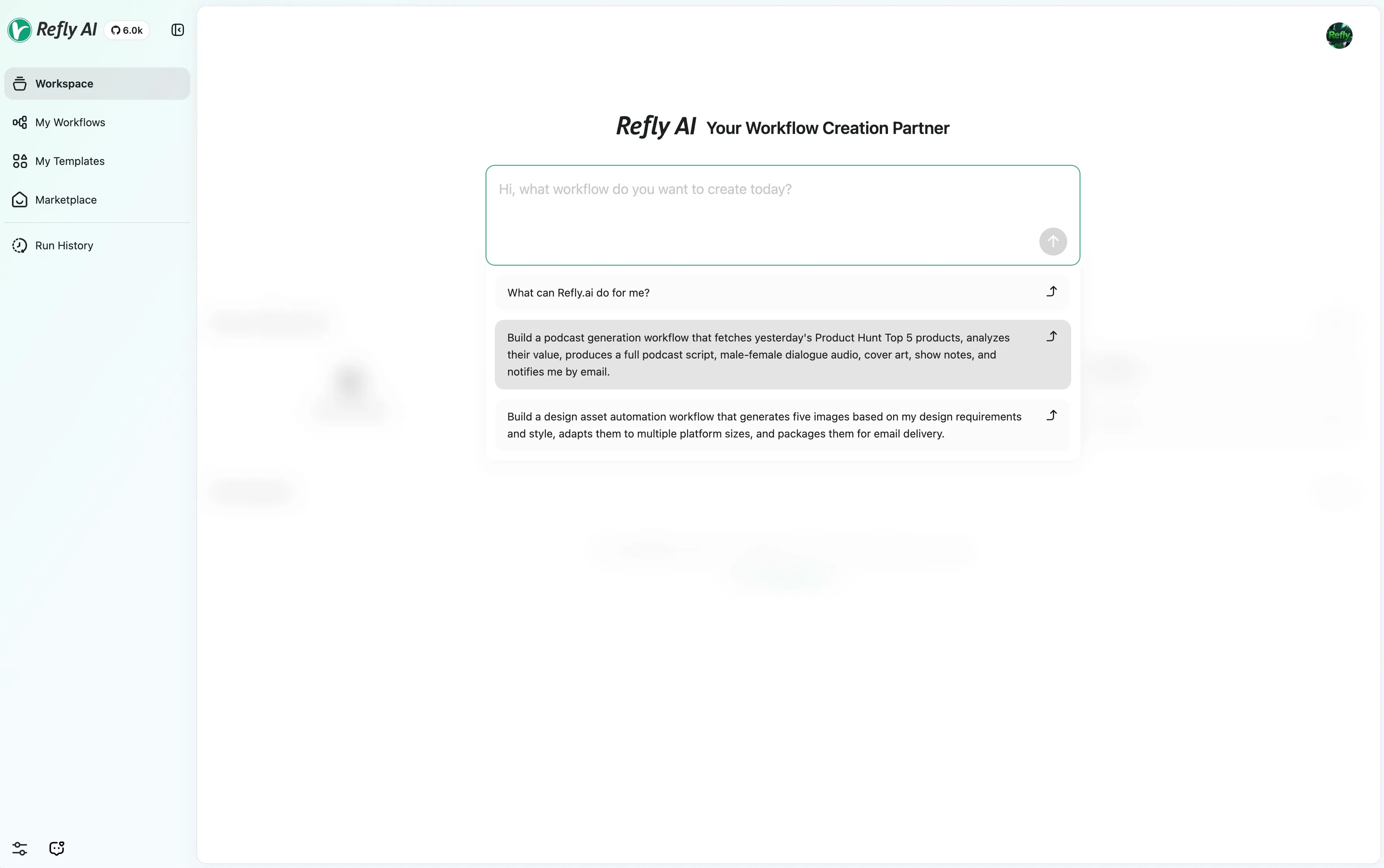
Happy chatting!
Troubleshooting
If the application fails to function properly, you can try the following steps:
- Check if the port
5700is already in use. If so, you can change the port in thedocker-compose.ymlfile. - Run
docker ps --filter name=refly_ | grep -v 'healthy'to identify unhealthy containers (whose status is nothealthy). - Run
docker logs <container_id>to get more information about the unhealthy container. - If the unhealthy container is
refly_api, you can first try to rundocker restart refly_apito restart the container. - For others issues, you can search for the cause of error messages in the container's logs.
If the issue persists, you can raise an issue in our GitHub repository.