
Gitpod Deployment
Visit https://github.com/refly-ai/refly and click on the Open in Gitpod icon. 
If it's your first time, you'll need to log in to Gitpod with your GitHub account, which will show the following interface.
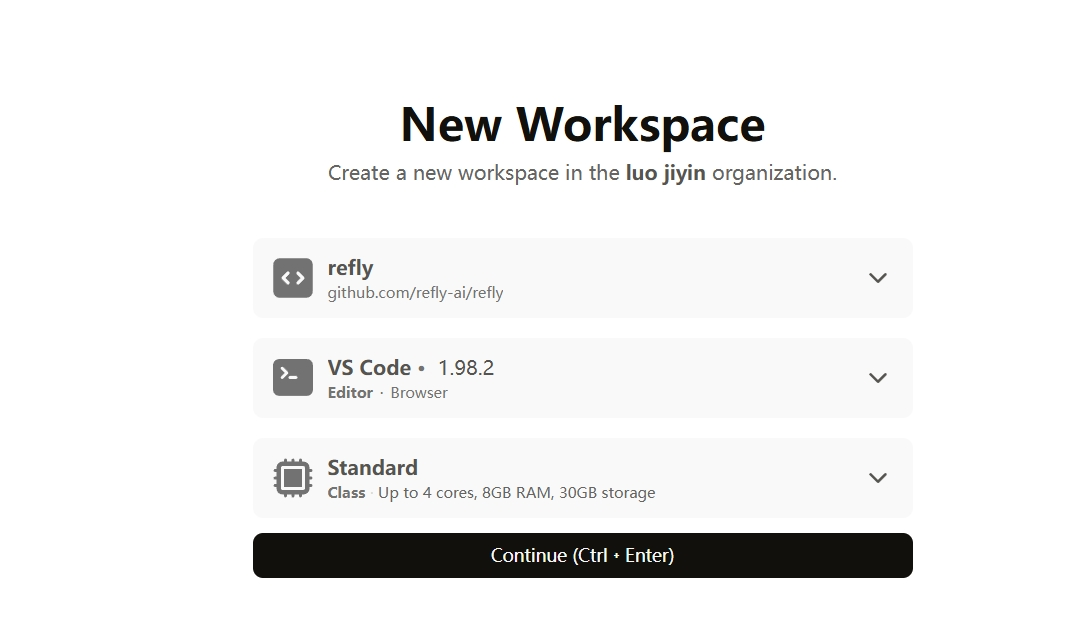
If you've forked the project and want to save your modifications, it's recommended to click the dropdown next to refly and change it to your project address.
Click Continue.
Choose your preferred theme. The TERMINAL output below will show deployment logs. The deployment configuration is in the .gitpod.yml file.
tasks:
- name: Deploy Services
init: cd deploy/docker && cp ../../apps/api/.env.example .env && docker compose up -d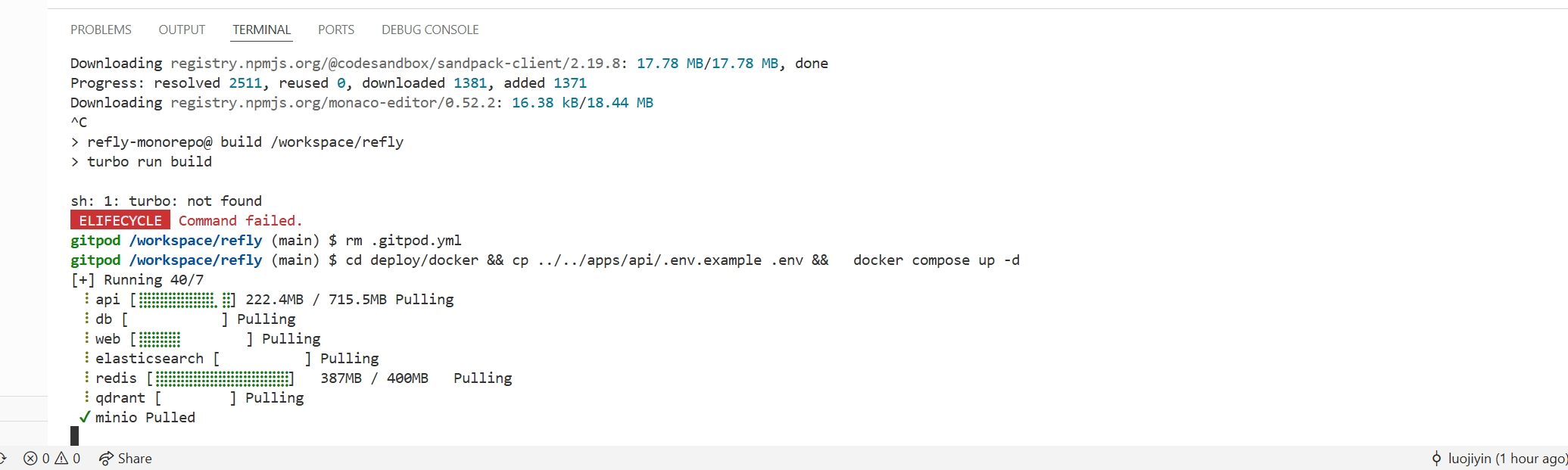 The deployment process takes a few minutes.
Deployment successful! 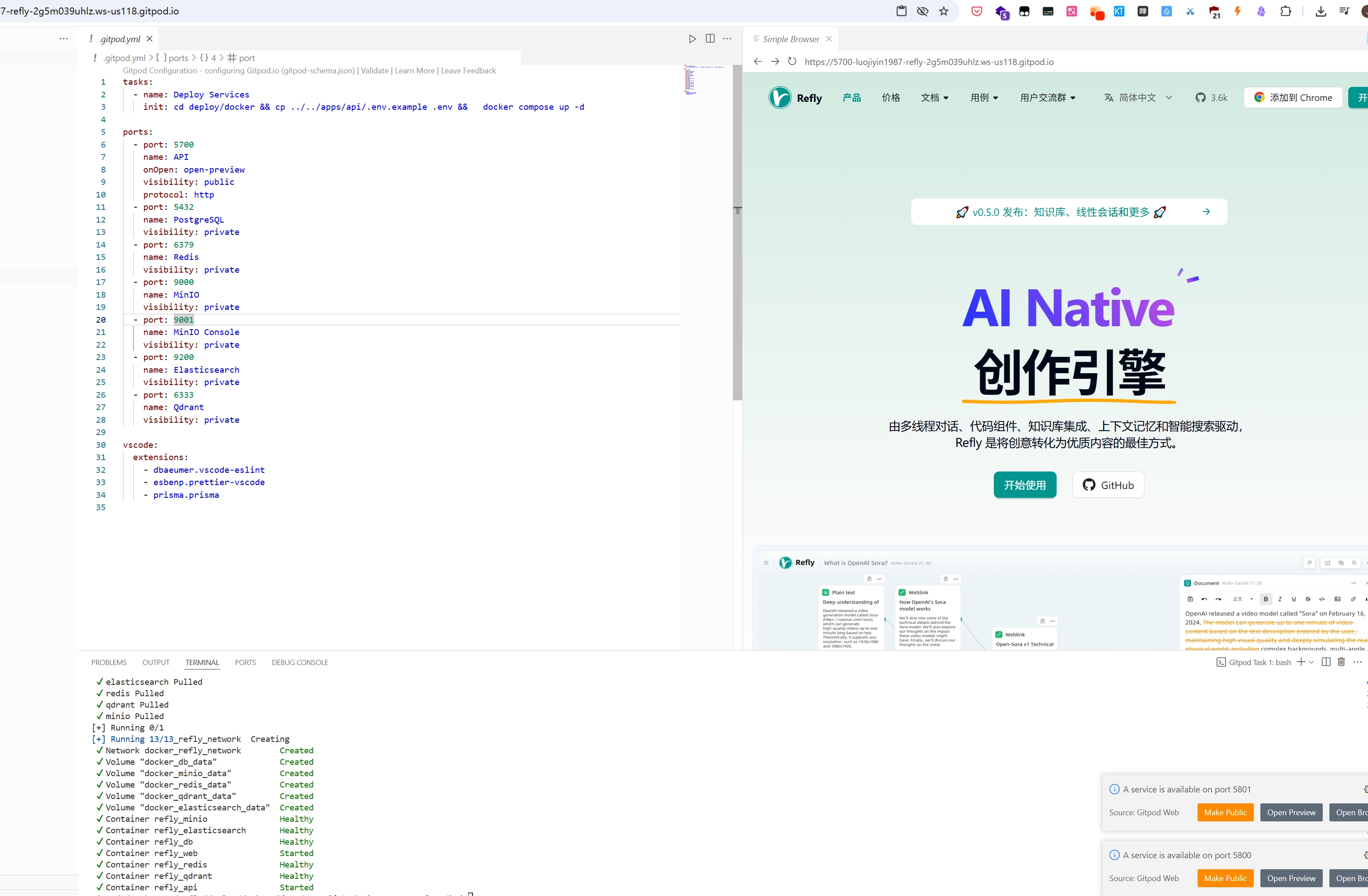
You'll notice that Gitpod actually provides a virtual machine that already supports Docker Compose deployment. Since Refly itself supports Docker Compose deployment, it seamlessly migrates to Gitpod.
Customized Deployment
1. Environment Variables Explanation:
- LLM Inference Related Environment Variables:
OPENAI_API_KEY: Your OpenAI API keyOPENAI_BASE_URL: Root URL for other OpenAI-compatible providersOPENROUTER_API_KEY: Your OpenRouter API key (if provided, will override the official OpenAI endpoint)
- Vector Embedding Related Environment Variables:
EMBEDDINGS_PROVIDER: Vector embedding provider, currently supportingopenai,jina, andfireworks. Default isjina, which can be modified according to actual needs.EMBEDDINGS_MODEL_NAME: Vector embedding model name, may vary by providerOPENAI_API_KEY: Required ifEMBEDDINGS_PROVIDERisopenaiJINA_API_KEY: Required ifEMBEDDINGS_PROVIDERisjinaFIREWORKS_API_KEY: Required ifEMBEDDINGS_PROVIDERisfireworks
- Web Search Related Environment Variables:
SERPER_API_KEY: Serper API key
INFO
A complete list of all configuration options can be found in the Configuration Guide.
After modifying the .env file, a restart is required.
cd deploy/docker
docker compose restart
2. Initialize Models
Model configuration is managed through the refly.model_infos table in the refly_db PostgreSQL database. We have prepared recommended model SQL files for some common providers:
| Provider | OPENAI_BASE_URL | SQL File |
|---|---|---|
| OpenAI | (empty) | openai.sql |
| OpenRouter | https://openrouter.ai/api/v1 | openrouter.sql |
| DeepSeek | https://api.deepseek.com | deepseek.sql |
| Ollama | http://host.docker.internal:11434/v1 | ollama.sql |
Choose a provider and execute its SQL file:
Initialize recommended OpenAI models:
curl https://raw.githubusercontent.com/refly-ai/refly/main/deploy/model-providers/openai.sql | docker exec -i refly_db psql -U refly -d reflyOr, initialize recommended OpenRouter models:
curl https://raw.githubusercontent.com/refly-ai/refly/main/deploy/model-providers/openrouter.sql | docker exec -i refly_db psql -U refly -d reflyOr, initialize recommended DeepSeek models:
curl https://raw.githubusercontent.com/refly-ai/refly/main/deploy/model-providers/deepseek.sql | docker exec -i refly_db psql -U refly -d reflyWARNING
Refly currently only supports one model provider. If you decide to switch to another provider or encounter the error duplicate key value violates unique constraint "model_infos_name_key", you need to first clear the refly.model_infos table:
docker exec -it refly_db psql -U refly -d refly -c "TRUNCATE TABLE refly.model_infos;"After clicking Ask AI, you can see your initialized models. 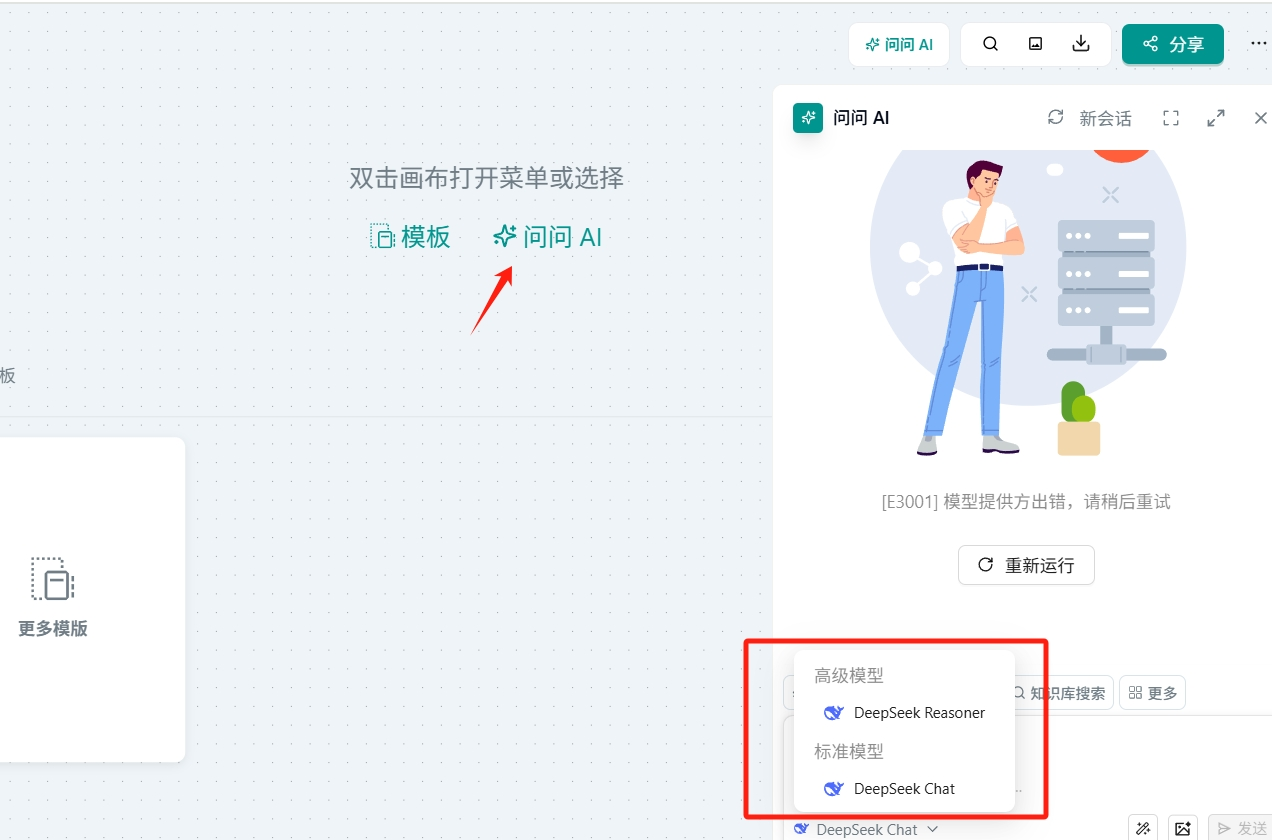
INFO
For detailed model configuration instructions, please refer to the Configuration Guide.
Upgrade Guide
docker compose pull
docker compose down
docker compose up -d --remove-orphans
Troubleshooting
Gitpod init failure
Execute manually in the terminal:
cd deploy/docker
cp ../../apps/api/.env.example .env
docker compose up -d
Checking container status
Run docker ps, each container's expected status should be Up and healthy. Here's an example output:
CONTAINER ID   IMAGE                                      COMMAND                  CREATED          STATUS                    PORTS                                            NAMES
f2d71a5494b3   reflyai/refly-api:nightly                  "docker-entrypoint.s…"   13 minutes ago   Up 12 minutes (healthy)   3000/tcp, 0.0.0.0:5800-5801->5800-5801/tcp       refly_api
1d339d1ba317   reflyai/refly-web:nightly                  "/docker-entrypoint.…"   13 minutes ago   Up 12 minutes (healthy)   0.0.0.0:5700->80/tcp                             refly_web
6ebfe46441c3   postgres:16-alpine                         "docker-entrypoint.s…"   13 minutes ago   Up 13 minutes (healthy)   0.0.0.0:5435->5432/tcp                           refly_db
563bcdcf1ff8   reflyai/qdrant:v1.13.1                     "./entrypoint.sh"        13 minutes ago   Up 13 minutes (healthy)   0.0.0.0:6333-6334->6333-6334/tcp                 refly_qdrant
47a3d82c8f16   reflyai/elasticsearch:7.10.2               "/tini -- /usr/local…"   13 minutes ago   Up 13 minutes (healthy)   9300/tcp, 0.0.0.0:9210->9200/tcp                 refly_elasticsearch
ca56521eebd6   redis/redis-stack:latest                   "/entrypoint.sh"         13 minutes ago   Up 13 minutes (healthy)   0.0.0.0:8001->8001/tcp, 0.0.0.0:6381->6379/tcp   refly_redis
4b0b9d2100d0   minio/minio:RELEASE.2025-01-20T14-49-07Z   "/usr/bin/docker-ent…"   13 minutes ago   Up 13 minutes (healthy)   0.0.0.0:9002->9000/tcp, 0.0.0.0:9003->9001/tcp   refly_minio
Or run docker stats, press Ctrl + C to exit:
CONTAINER ID   NAME                  CPU %     MEM USAGE / LIMIT     MEM %     NET I/O           BLOCK I/O         PIDS
f2d71a5494b3   refly_api             0.04%     160.9MiB / 62.79GiB   0.25%     1.5MB / 3.37MB    3.5MB / 229kB     32
1d339d1ba317   refly_web             0.00%     13.49MiB / 62.79GiB   0.02%     301kB / 3.41MB    8.19kB / 8.19kB   17
6ebfe46441c3   refly_db              0.00%     37.39MiB / 62.79GiB   0.06%     47.5kB / 14.4kB   0B / 113MB        7
563bcdcf1ff8   refly_qdrant          0.20%     82.04MiB / 62.79GiB   0.13%     9.04kB / 4.61kB   0B / 4.91MB       75
47a3d82c8f16   refly_elasticsearch   0.17%     1.416GiB / 62.79GiB   2.26%     115kB / 112kB     0B / 7.63MB       80
ca56521eebd6   refly_redis           0.26%     133.8MiB / 62.79GiB   0.21%     3.55MB / 1.38MB   7.49MB / 2.65MB   21
4b0b9d2100d0   refly_minio           0.06%     91.88MiB / 62.79GiB   0.14%     14.1kB / 7.32kB   0B / 3.56MB       21
To view logs, run docker compose logs -f, press Ctrl + C to exit.
Run docker ps --filter name=refly_ | grep -v 'healthy' to identify unhealthy containers (those not in healthy status).
To view logs for specific services, for example api, run docker compose logs api -f. Note that the service names are determined by the docker compose file, not the Docker container names.